Showing posts with label Web Page Design. Show all posts

Monday, December 29, 2014

Mistakes of a Freelance Web Designer and How to Avoid Them


Working as a freelance web designer can be tough. It is true that we are our own boss and we manage our own time. You are your own assistant, accountant, scheduler and it can be tiring. Sometimes, it seems easier to be employed in a company and work from nine to five. As a freelanceweb designer, you can and will make mistakes along the way. It’s better to know what you need to avoid and how to avoid these mistakes before you even encounter it.

Struggling to find clients
Freelance web designer’s biggest frustration is finding clients. They constantly chase clients to hire them which should not be the case. You can offer complimentary services to your previous clients or clients you already have. By offering these services, you are increasing your income, and you are not chasing clients. Word of mouth will be your biggest ally to gain clients. Make sure that you do your best and your clients will definitely promote your work to others.

Doing everything by yourself
You are your own company when you are a freelance web designer. You find clients, attend meetings, answer the phone, and prepare documents, answering email and so on. This should not be the case. You can hire someone to do these things for you. You can hire a virtual assistant. You can set a margin for the salary. This way, you can meet with your clients and find new prospects. There will be less stress on your end.

Failure to communicate
Clients would like to know what improvement can be made totheir website, how long a maintenance or tweak in their website will take. They don’t want to be guessing and left hanging. Respect your client and let them know everything they need to know. Always loop them in whatever you do.

Spend time on Testing the website
Regardless of whether you are very proud with your work, you need to put it in a ‘test phase’ just like all websites. It may be time consuming but it will definitely save you the trouble of having to having to fix the problems when the site is already launched. It’s best to make sure that the design and code of the site are both flawless.

You do too much
Some designers literally do too much that it complicates the work more rather than making it problem free. If a problem occurs, it is better to address it using basic clarity solutions. 


Monday, October 6, 2014

The Anatomy of a Web Designer


Based on a survey of 500 web designers, this presentation shows the attitudes towards the web design industry on a wonderful medical journal themed design. Find out about web designers attitudes towards money, the future of web design and competition speculative work with our "anatomy of a web designer"

Tuesday, September 16, 2014

Why Good Website Design is So Important


So, what are the right choices? We gathered the data to answer that question in this easy-to-follow Presentation. Learn which parts of your website design impact users the most so you can properly plan, prioritize, and optimize your site.

Tuesday, September 2, 2014

Ways To Apply Minimalism Into The Web Design Effectively

The concept of minimalism managed to stick around until now despite the coming and going of trends in web designingIt is probably because of its classic appeal which they say never goes out of styleWhich proves to be true considering its popularity in other form of art, no wonder some web designers have embraced its beauty as well.

In the web designing world, minimalism clicked because it is easy on the eyes and it enhances user experienceBusy consumers are impatient with short attention spans, that’s why they can’t tolerate overly complex designs that are confusing to navigate.


When it comes to designs in our daily living today, less is definitely more. See the beauty in simplicity and learn how to incorporate it into your design and still seduce more site visitors.

Embrace Flat Design
Apple and Microsoft are one of the brands who put skeuomorphism to shame by embracing flat designYou'll notice the bold and vibrant colors on their design but no drop shadows, 3D effects and gradients. That’s flat design for you, it catches the attention of the user but doesn't overwhelm him.

The design welcomes you with clean and clutter-free page layout, vibrant and flat icons and buttons, typography of different fonts is used for the headlines without texture for the body copy, and images are bright.

Incorporate White Space

What comes into your mind when you hear minimalism in a web design? I say more white space! Not only does it exudes sophistication and neatness, but it also allow you to lead the view’s attention to where you want more easily.

Before you scream boring into my face, take a moment to internalize how beneficial white space is for web designs.
Just take Google Search as an example, or did you not notice that Google Search is a study white space?

Google Search used this design to allow users to focus on searching information instead of distract them from it with loud colors or irrelevant 3D effects.

See how clever it is? It instantly draws you on the search bar without a lot of fuss. 

Limit Choices

No matter what you say, you cannot deny that your priority in establishing that e-commerce website is to convert. Sounds simple but definitely not easy. But if you limit the choices that you present to the user or visitors it’ll be easier for you to turn them into buying customers.


Take it from the company called Gengo that has almost nothing on their landing page except a bar where you type in the text or upload a file for translation. For a professional caption translation company, it’s easier for their potential clients to understand the purpose of the website and how to proceed with the service that the site is offering. 

Focus On Bold Typography

Another basic aspect of minimalism that you may find a little too plain but no doubt effective are bold typography and single-column layout. Here’s how it works:

ü  Using a single-column layout lets you go straight to the point which is, inform who you are, what you do and how you can be of service to people. Plus you won’t hear hard-to-navigate complains for sure.


ü  Using contrasting font color with varying size and style and background color is a great way to keep things simple yet interesting.

Simplify Your Navigation

In order for your minimalistic web design to come around well, every part of your site has to blend with each other. Especially your navigation menu which can be crucial, because you want it to be simple for your visitors to understand but not too bland that it may be completely overlooked.


Make the color blend with the rest of your design but in a way that it still stand on its own. Put it in the upper right corner of the page where most people look at when their searching for it. Forget whatever sliding effect or tricks that you’re trying to incorporate, not adding any different layers of navigation on it keeps it functional and simple.

Use Color In Patches
If you’re not so crazy about a lot of white space, then using patches of color maintain your minimalism concept and still makes site visitors pay attention to information or action that you want them to see. This is taking emphasis to a simple yet effective level.


Like the 960 Grid System website, they used splashes of yellow to highlight internal links such as “download” and “view demo”, and blue for the Twitter logo. Doing this subtly but efficiently lead the visitors to your goal, which is to convert and build traffic.

Minimalism Works If You Know How To Use It
Some designers assumes that minimalism is way too plain and boring that’s why they keep on doing those complicated designs. Contrary to their belief, the examples above just proved them wrong. You just have to know how to work its beauty and your site will shine more than all the colors in the rainbow. Moreover, if this concept increases conversion, and makes things easier for users what more excuse do you have not to embrace this approach?


Besides a true artists can seduce people into his art no matter what the concept is, right?

Friday, August 29, 2014

UX Designer: How To Spot The Right One


Due to websites that are becoming a household name because of good UX designbusinessmen trying to penetrate online market require a designer to have this in his skillset .

As result, knowing this, those that are eager to have a job immediately claims to be experts even though they’re not.


Now the problem is, as a businessman who wants a real expert ecommerce website designers in his company, how can you tell whether the guy that you're hiring is indeed an expert?

There’s only one way to find out, pay attention if the designer you’re dealing with right now possess the following qualities.

Has The Background
This doesn’t only mean educational background or experience in the field. This is also to emphasize that a designer claiming to be expert on UX has to have a good grasp of the target users’ way of thinking. In short, having a background on cognitive psychology is a really huge plus point on the designer’s side.

Insists On Site Observation
You want a web designer who really knows how to make a design work? Go for the guy who doesn’t drill holes on his chair in front of the computer. The designer who goes out in the field where actual users are and derive his designs from how he sees fit for them is a catch.

Creates Solution For An Existing Problem
Most companies try to come up with gimmicks which they assume will lure in clients. What they don’t realize is that there are existing problems that if solved will make users more than happy.

Knowing that, make sure that the designer you’re talking to knows how to do task analysis, make a strategy out of it and derive a design from those in order to make a solution for the current problem that is troubling the users.

Can Improve The System
Just because there’s an existing system that is being followed doesn’t mean it is absolute. This is why after task analysis the designer should think critically enough to refine those tasks and produce a more efficient flow. Doing this makes a designer produce a better design that can really benefit the users.

Comes Up With User-Centered Designs
Real expert UX designers have a better understanding of your target market. That’s not all, their designs should also revolve around consumers’ needs that they expect to be provided and even the information that will greatly help them but don’t realize it.

Makes Users Happy
A lot of designers will tell you that their ultimate goal is to make your potential clients happy. Because if they’re happy then you’ll be too right? Before you start forming your “You’re hired!” speech think again. Unless that person isn’t elaborating that into how he can do it with what resources and method then he’s probably all talk with no result.

Walk-Through
You know that UX isn’t the only part of a design right? The other side of the coin is the UI or user interface; if your guy can walk you through UI analysis then you have a higher chance that you just found the right person for the job.

He asks question that will identify more strategic issues such as interruptive flow, cognitive loading, and required knowledge. He can also spot your design’s limitations and different approaches that may either work or not for both the users and your domain.

Data-Driven Design
There are certain designs that are really widely utilized due to their popularity. However, an expert UX designers don’t just copy them, he takes data, learns the pros and cons of those designs and makes a design that fits the domain purpose and target market’s needs.

Different Angle


Speaking of data driven designs, just because he has gathered data about designs doesn’t mean he blindly relies on them. True experts always have their own angle or their own take on the information, resources and situation in hand.

Monday, August 18, 2014

Boost Your Conversion Rates With These Web Design Techniques


Talking to a consumer and persuading him to avail your offer is hard enough already, how much more when you can not talk to him face to face? How will you be able to persuade someone to go along with you through a website without the bubbly, upbeat and looking good sales person?

Surprisingly, it pretty much Takes the same technique to do so but instead of a sales person, the web design will have to do all the talking. How? To dig into these techniques and learn.

Be Precise
Go straight to the point. Do not bore your site visitors with elaborate designs that will only confuse Them and refrain from using jargon, most especially. Remember that you are the web designer not the consumers, those terminologies will not ring a bell to Them unless They work in the same field.
   
Ensure Visual Appeal
Notice how sales persons are particularly good looking? That's Because whether we admit it or not, we tend to trust and be Easily swayed when we are being pursued by a good looking person. This is why you have to be Certain that your website's design pleases the eyes of your target audience. No matter how ground breaking your content is, if a visitors  is not  pleased with the design, he will not stay longer to actually appreciate the content.

Know The Power Of Visual Hierarchy And Apply It
Visual hierarchy , ie, Shown and Wikipedia " the Order in Which the human eye perceives what it sees . "Which Basically Means, our minds way of interpreting things from how our eyes see it. In that case, you can take advantage of it by making an image, word or phrase bigger if you want to accentuate it since we immediately be assuming that when something is bigger from the rest then it is important.

Maintain Your Visitor's Attention


When you check out a product or service is endorsing a sales agent, did not you notice how he amps up His "sales talk" when he finally caught your attention? The same goes for a website, if your attention grabber is a moving image at the top of your site, make sure that you have more in stored for your potential clients to keep Them interested. Like a large interesting pictures, intriguing background or whatever unique design you have in mind that works well for your site. 

Wednesday, July 9, 2014

Back To Basic: Creative Web Design Planning


If you're in the field of Designing, whether as a freelancer or for a company, you have probably gotten used to the convenient software that makes your job easier like Photoshop. However, more and more agencies and startups are going back to the most basic way of Designing, Because apparently using the paper and pen has Shown advantages. Being able to freely communicate ideas quickly and adjusting and modifying designs without spending too much on spec works and digital comp turned out to be a plus point.

Why Sketch?
In a client's point of view, most of them prefers suggesting changes and when they're editing a sketch Because Presented with a digital drawings looked done already, Which is why They hesitate to make suggestion for alteration, thinking that it will take more money and time to redo it. Unlike in sketches that you can just pick an eraser and change it right there and then without much time and hassle necessary.

What Should You Do First?
Designing Though schools start with basic drawing, your skills probably got rusty digitally Because you practice more. For you to get the feel of sketching again, you have to sketch waiting every opportunity that you can get. You have to do it over and over until it becomes like a second nature for you to sketch. You do not want to find yourself struggling to perform for a client and sketching Because you have been out of touch for some time.

How Sketching Helps Web Designers ?
Nowadays you have find sketching with not much use for your career, but just Because we are being ruled by technology does not mean that drawing has no more use. Use opportunities like UX testing, UI elements or typography ideas trying to practice this basic skill. Even you MIGHT appreciate it more when you find clients being impressed with how you can Easily to put ideas into sketches right at the moment that those ideas are being relayed to you.

Practice Makes Perfect
Let's say you're really good at sketching back in the day, do not be too sure that you'll still be as good today. No matter how talented you are, if you do not use it Often you'll lose that talent. In case of those who are not so good at it, all the more you shouldnt practice every chance you get. Know that you're not the only designer in town, if you can not even impress a client with a sketch how will you be able to Convince Them that you can really deliver the job? Chances are you will not Because They will move on the another designer who's sketches Makes Them see success.

Sketching Your Design
  1. Get the vital contents for the page you'll be Designing.
  2. From the contents draw out possible ideas for dmg each of the contents.
  3. From the series of ideas, pick our Them Which is the best, you can ask for Even the client's or your colleague's opinions if They feel the same way for your ideas. This stage will Allow you to improved an already good idea due to the combined feedbacks of other professionals you're working with.

Process Of Designing Projects
  1. You'll typically start with multiple ideas and thumbnails.
  2. Then you'll start branching out or elaborating some details Regarding those initial ideas.
  3. When you're done laying all your ideas in front of you, you'll begin analyzing, looking for holes and Even Collaborating with clients and other people connected to the project to eliminated what you do not need and solidify the plan.
  4. Then when you have finalized the plan, you will have to make a formal wireframe sketch to show a clear step by step process for the project.
  5. And then, after that you will present in front of the client , or make a proposal if you will.

Tools You Need
Just Because sketching is so convenient does not mean you will not need anything, chance favors the PREPARED, so better be sure that you are equipped with the User is following.
  • Pens
Pencil comes with an eraser so you feel more confident with using it but, you shouldnt get your hands used to the ink too since the visibility of pens is more favorable for the clients.
  • Portable Whiteboard
A tablet sized whiteboard will be helpful During office to office meetings.
  • Big Sketchbook
Clients like seeing plans and designs clearly, when you're faced with your clients and make sure you have least 14 inches long sketchbook in hand so that you can show a more visible drawing.
  • Flipcharts
Sticky flipcharts that can be attached on the wall is great During long discussions with a team or client.


Monday, June 23, 2014

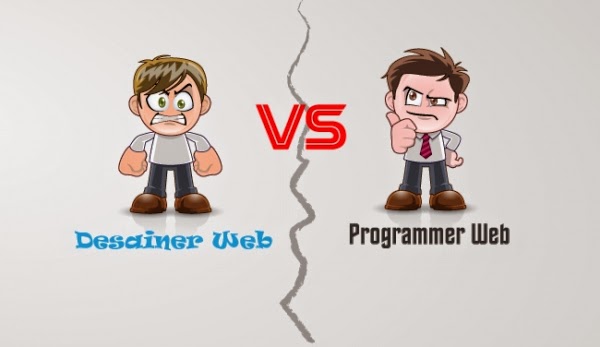
What is the difference between a Web Designer and Web Developer?


What induce people to raise their eyebrows out of confusion is when They heard the phrase "building a website" followed by a language that seems like cryptograms. To ask who build or create a website, would stir another discussion on to whom the credit shouldnt be given, to the web designer or developer to the web? But They are not one and the same?


Nope. They actually function differently and, in a way, alike.

Job description: Web Designer vs Web Development


Ever wonder who is behind the smart blending of colors and the distinct arrangement of figures in a website? Web designing is what we could call the customer-facing portion of a site, it's all about how to make a website great and enticing to users. Creating web design is the look, the feel and the branding of a site

Web designers are typically Called the "right-brained person" who are very imaginative and creative. Softwares Such as Adobe Photoshop, Illustrator and InDesign are used for web designing by coding proceeded to give life to the design. 

A great designer must have a good understanding of the Designing and color theory, spatial relation, typography, and user experience. Web designer does not only designs but conceptualize a Useful websites for users. 

When it comes to Creating the structure or foundation of a website, the web developer is your guy. He / She is probably a graduate of computer science or programming or other course related to that. Web Development is the back-end portion of the site, it is basically the programming or data processing of the site. The developer ensures that dmg each page will work is properly and manage the interaction of dmg each page smoothly.


In contrast with the right-brained people, the web developers who are more left-brained are the experts with logic and analytical problems. They have perfectly mastered HTML, Javascript, JQuery and CSS to make the website functional.

Matrimony of Web Design and Web Development
At the end, though, a successful website is the fruit of labor of Both web designers and developers. A great site needs a good design and a functional interface.

Given that the expertise of both are a must, some web designers are trying to learn the works of the developers and vice versa. This makes all the work easier since Both They know what each other's language. However, being an expert in the field Both can be a long shot; you would most likely be more adept on one field.


For Both designers and developers, when working hand in hand, it's better to discussing Avoid using jargon; there will always be some concepts comprehensible by those who are experts in a Certain field. Learn to discuss things in a MANNER that can be Easily understood; sketches will most likely work. Keep an open communication and be receptive to new ideas.